Home screen widgets and Live Activities
This release adds two plugins: home screen widgets and Live Activities.
How to update. Run dn upgrade. dn downgrade takes you back to
1.7.0, and dn use <release> switches to any release that dn releases
lists.
Code push. After you update, the fixes you send reach only apps
released with 1.8.0. Make a new release of your app before you send fixes.
To send a fix to an app you released with 1.7.0, run dn use 1.7.0 first;
dn tells you when you forget.
New plugins
Add a plugin to your pubspec.yaml, then run dn pub get.
- Home screen widgets (
dartnative_home_widget: ^0.1.0). Widgets on
the iOS home screen and lock screen and on the Android home screen,
designed in Dart. A button on a widget calls your Dart code, a tap on
the widget opens your app, and widgets refresh on a schedule.
- Live Activities (
dartnative_live_activities: ^0.1.0). Live
Activities in the Dynamic Island and on the lock screen on iOS, and Live
Updates on Android: a notification at the top with a chip in the status
bar. Your app starts, updates and ends them, and a push can update them.
Each plugin’s page on dartpub.dev has its setup
and an example app.
Performance improvements, fixes and names for UI tests
This release brings performance improvements on iPhone and Android, a
few fixes, and Semantics(identifier:), as in Flutter. It also runs on a
new engine.
How to update. Run dn upgrade. This release runs on a new engine, and
dn upgrade brings it, with a new dn, in one step. If it prints an
install command instead, your dn is older: run that command, then run
dn upgrade again. dn downgrade takes you back to the release you used
before, such as 1.6.0, and dn use <release> switches to any release that
dn releases lists.
Code push. After you update, the fixes you send reach only apps
released with 1.7.0. Make a new release of your app before you send fixes.
To send a fix to an app you released with 1.6.0, run dn use 1.6.0 first;
dn tells you when you forget.
New
- Names for UI tests.
Semantics(identifier: 'checkout') gives an
element the name XCUITest finds it by on iPhone, and UI Automator by its
resource-id on Android, as in Flutter. Screen readers never read it.
Plugins
To get a new plugin version, raise its constraint in pubspec.yaml or run
dn pub upgrade.
dartnative_http 1.1.1. Faster requests on iPhone.
Fixed
- License messages. They no longer read as if a paid plan were
needed: the Community license is free.
- Horizontal lists.
ListView.builder builds only the items that show.
- Android. The bottom bar follows a change of the phone’s navigation
mode, and lists and sliders keep their accessibility support under a
Semantics.
Sign-in that follows users to a new Android phone, and closer Flutter layout
Your app can now keep users signed in when they move to a new Android
phone, with the new dartnative_passkeys plugin. Google Play requires this
from April 2027 for apps that offer sign-in. This release also brings
layout closer to Flutter, keeps plugins working in Dart that runs with the
app closed, and fixes hot restart after compute() (#82) and Android
builds with packages that have build hooks (#83).
How to update. Run dn upgrade. This release runs on the same engine
as 1.5.0. dn downgrade takes you back to the release you used before,
such as 1.5.0, and dn use <release> switches to any release that
dn releases lists. The Android build fix (#83) is in the newest dn: if
yours is older, dn upgrade prints the install command for your system.
Run it, then run dn upgrade again.
Code push. This release is a new framework build on the same engine.
After you update, the fixes you send reach only apps released with this
version. Make a new release of your app before you send fixes.
Changes that can affect your code:
- A
Scaffold’s body is laid out as in Flutter: content that does not
take the width, such as a Column of texts and buttons, sits at the
start of the screen, as wide as it is. It used to be centred. Wrap it in
a Center to keep it centred. Lists, a Center, a Row and a Column
that stretches its children fill the width as before.
- A
Column inside a column that does not stretch its children, a
Center or an aligned Container is as wide as its widest child, as in
Flutter. It used to take the whole width. A child that takes the whole
width, such as a Row, a text field or a list, still makes it as wide
as its room.
- A
Row inside another Row, outside an Expanded, is as wide as its
content, as in Flutter. It used to take the outer row’s free space.
- In a
Row with CrossAxisAlignment.stretch, every child is as tall as
the row, even one with a height of its own, as in Flutter. The same holds
in a horizontal ListView.
- A
SizedBox, Container or Image with a width of its own inside a
vertical ListView or ListView.builder, or in a Column that
stretches its children, takes that parent’s width, as in Flutter.
- With
dartnative_background 1.0.3, call TaskManager().initialize at
every start of your app, in main.
New
- Sign-in on a new Android phone.
dartnative_passkeys saves a restore
key after sign-in. On the new phone, your app reads it and signs the user
back in without a prompt. dartnative_supabase 1.0.1 adds the matching
server side for apps that sign in with Supabase. The
zero-tap sign-in tutorial
goes from the signing keys to the first restore.
- Plugins that run Dart with the app closed. A home screen widget’s
button, a background task or a push message can run Dart while the app
is closed. Plugins that do this now hand the work to the app when it is
running, and end their run cleanly otherwise. Plugin authors can do the
same: the
plugin callbacks guide
shows how.
Plugins
To get a new plugin version, raise its constraint in pubspec.yaml or run
dn pub upgrade.
dartnative_passkeys 0.1.0, new: sign-in on a new Android phone, as
above. Android only.dartnative_camera 1.1.0 reads QR codes and barcodes while the
preview, photos and the flash keep working. startCodeScan(onCode: …)
calls your app once for each new code, with its text, format and place
on screen. On Android, FlashMode.torch now works.dartnative_background 1.0.3. A task that arrives while the app runs
now runs inside the app. A task that ran out of time no longer gives the
next task its result. Call TaskManager().initialize at every start.dartnative_firebase 1.0.2. On Android, a background message that
arrives while the app runs is handled inside the app. Notification taps
and the answer to the permission request arrive with no code in your
app’s activity, each tap once.dartnative_notifications 1.0.4. A tap on a notification that
opened the app is reported once.dartnative_supabase 1.0.1 moves to supabase 2.16.5, with the
passkey API (client.auth.passkey).dartnative_lottie 1.3.4. On iPhone, a list that scrolls under
stickers drawn with RenderCache.raster runs at the screen’s full rate,
up to 120 frames a second; it was held at 60. A result that arrives after
a hot restart, or after a background run has ended, no longer stops the
app.dartnative_onnxruntime 1.6.6, dartnative_social_sign_in 1.0.2 and
dartnative_url_launcher 1.0.1. A result that arrives after a hot
restart, or after a background run has ended, no longer stops the app.dartnative_supertonic_tts 1.0.1. Eleven more Italian words are
stressed right.
Fixed
- Hot restart after
compute(). Hot restart always finishes after
compute() or runInBackground were used. Before, it could stop at
“Performing hot restart…” and only quitting dn run helped (#82). Hot
restart also no longer waits on a background isolate that ends during
the restart.
- Android builds with build hooks. An app that uses a package with a
build hook, such as
sqlite3, builds every time. Before, only the first
build after dn clean worked, and every later dn build apk or dn run
stopped with a Gradle error about mergeDebugJniLibFolders (#83).
- Dart run with the app closed. An app no longer stops after a home
screen widget’s button, a background task or a push message ran Dart
with the app closed and used another plugin there. While the app runs,
that work now runs in the app itself.
- Android. Plugins keep answering after Android rebuilds the app’s
screen while the app keeps running: after Back on the first screen and
reopening the app, or when Android reclaims the screen in the
background. Before, every plugin call and event stopped for the rest of
the app’s life. A notification or a home screen widget that opened the
app is reported once. Before, reopening the app from its icon or from
the recent apps reported the same tap again.
- Pictures. A picture given both a
width and a height is that size.
A picture inside a ClipRRect in a list keeps its proportions when the
screen rebuilds, and an AspectRatio around it sets its box. A picture
as wide as a box of a fixed height is centred in it. A picture with no
size of its own fills a box of a fixed size through a Padding, a
ColoredBox or a GestureDetector. On iPhone, a picture with
BoxFit.cover, fill or none and no height takes its proportions at
the width it is given.
- Layout. Children that fill a
Wrap’s run exactly share it on every
screen; on many Android phones they each started a run of their own. A
Row inside an IntrinsicHeight, in a Column that centres its
children, takes the whole width, so its Expanded children show. A
Row, and a Column that stretches its children, take the whole width
under a Center or in a Stack and keep it after a rebuild. In an
IntrinsicWidth, a column that stretches makes every child as wide as
the widest. A SingleChildScrollView hands on the width it is given, and
a list that changes its scroll direction resizes its items at once. On
iPhone, a Row that stretches its children inside an IntrinsicHeight
in a list gets shorter again when its content does.
Teams, and improved Flutter parity for layout and the widget model
Standard and Pro plans now include Teams: share your plan with the people
who build your apps, each with their own sign-in. Sharing your plan with
your team makes DartNative cost almost nothing per person, even on a paid
plan. This release also further improves Flutter parity, in layout and in
the widget model, so you can code in DartNative as you would in Flutter.
It also fixes sheets on Android (#77, #78), keeps the app’s state when Android
switches between light and dark (#79), and keeps a text field’s selection
in step with its controller (#80, #81).
How to update. Run dn upgrade. This release runs on the same engine
as 1.4.0. dn downgrade takes you back to the release you used before,
such as 1.4.0, and dn use <release> switches to any release that
dn releases lists. If your dn is older than these commands, or older
than Teams, dn upgrade prints the install command for your system: run
it, then run dn upgrade again.
Code push. This release is a new framework build on the same engine.
After you update, the fixes you send reach only apps released with this
version. Make a new release of your app before you send fixes.
Changes that can affect your code:
- A
Text in a Row keeps its line instead of wrapping at the Row’s end,
as in Flutter. Put it in an Expanded or a Flexible to let it wrap.
- A
Text that wraps is as wide as the room it is given, as in Flutter. It
used to be as wide as its longest line, so chat bubbles get wider.
textWidthBasis: TextWidthBasis.longestLine keeps the old width.
- A
Positioned child that reaches past its Stack is cut at the Stack’s
edges, as in Flutter. It used to show whole. clipBehavior: Clip.none on
the Stack lets it draw outside.
- A
Container or a Card with rounded corners no longer cuts its child
at the corners, as in Flutter. clipBehavior: Clip.antiAlias or a
ClipRRect keeps the cut.
- A
ListView or GridView with no padding now keeps clear of the
system bars at the top and bottom of the screen when nothing above it
does, as in Flutter. Pass padding: EdgeInsets.zero to keep the old
layout.
ListView.builder, ListView.separated, GridView.builder and a
CustomScrollView of list and grid slivers build items on demand, as in
Flutter. An item more than 250
points off screen is now let go, and its State starts over when it comes
back. To keep it, use AutomaticKeepAliveClientMixin or raise
cacheExtent. FastList, FastGrid and MasonryFastGrid now let go of
rows the same way by default; they used to keep every row they built.- In a scroll view with
reverse: true, a ScrollController’s offset
counts from the bottom, so jumpTo(0) goes to the newest item, and a
CustomScrollView puts its first sliver at the bottom, as in Flutter.
- A one-line
TextField with no textInputAction shows Done and closes
the keyboard, as in Flutter. On Android it used to move to the next
field: set textInputAction: TextInputAction.next for that.
- A translucent
GestureDetector that handles a tap no longer passes the
same tap to the widget behind it, as in Flutter. A tap it does not handle
still goes through.
Offset.distance is the length, as in Flutter. It used to be the squared
length, which is now distanceSquared.- With Android’s Remove animations setting on, an
AnimationController
runs at 5% of its duration, as in Flutter.
animationBehavior: AnimationBehavior.preserve keeps the full length.
Teams
Standard and Pro plans now include Teams. Everyone you add builds your
apps under your plan, each with their own dn login, so nobody shares a
key, and they don’t need a plan of their own.
- Set it up on dartpub.dev in Settings → Team: create the team, add
members by their GitHub username (up to 3 people on Standard, you
included, and any number on Pro), then name the team in your project’s
pubspec.yaml under dartnative: as team: <name>. Every build of that
project, by you or any member, uses your plan.
- CodePush stays in your hands. Only you and the members you allow can
make a release, send a fix or take one back.
- CI builds as a person, with an Apps token one of you creates in
Settings → API, never with a shared key.
- When someone leaves, their builds stop using your plan. Nothing else
changes, and your published apps keep working.
Teams needs the latest dn: an older one stops on the team: line. The
Teams page has every
step.
Flutter parity
- The widget model, as in Flutter. Ten widgets that dropped their child
now show it:
Listener, AbsorbPointer, AnnotatedRegion,
FittedBox, Flex, Focus, FocusScope, FractionallySizedBox,
IntrinsicHeight and IntrinsicWidth. Keyed children of a Column,
Row, ListView, Wrap or Stack keep their State when one is added,
removed or moved. Lists build their items on demand, with Flutter’s
keep-alive (AutomaticKeepAliveClientMixin, KeepAlive,
addAutomaticKeepAlives) and cacheExtent on ListView and the grids.
NotificationListener hears scroll start, update, end and user scroll
notifications in Flutter’s order, from every scroll view and from
FastList, FastGrid and MasonryFastGrid. The BuildContext ancestor
lookups, such as findAncestorStateOfType, are there too, and a colour
or text style set back to null returns to the default.
- Layout, as in Flutter.
ConstrainedBox applies its constraints;
they were ignored. A Stack of only Positioned children, or with a
childless Container covering it, fills its room. A horizontal
SingleChildScrollView in a Column is as tall as its content. A grid
cell’s content fills the cell. Wrap.runAlignment and
SliverFillRemaining work as in Flutter. Text, Stack and Container
follow Flutter’s layout too, as the changes above describe.
New
Matrix4 and transforms. Transform(transform:) takes any
Matrix4, skew and perspective included, and Container takes
transform. On Android, skew and perspective need Android 10 or later.compute, as in Flutter, with less work on the UI thread (1.5x less
on Android and 1.6x less on iPhone in our measurements). It runs on
runInBackground, which now comes with
package:dartnative/dartnative.dart: where Flutter code calls
Isolate.run, call runInBackground for the same gain. The new page
Work in the background shows how.- Search fields like the platform’s own. A one-line
TextField whose
prefixIcon is Icons.search is Apple’s search field on iPhone, clear
button included. On Android the icon sits in Material’s place in the
field.
- Accessibility settings.
MediaQuery has disableAnimations,
accessibleNavigation, boldText, highContrast and invertColors,
kept current while the app runs.
- Smaller additions from Flutter:
GridView.extent;
FocusNode.nextFocus() and previousFocus();
FocusScope.of(context).unfocus();
WidgetsFlutterBinding.ensureInitialized();
SchedulerBinding.instance.currentFrameTimeStamp; the rest of Offset;
textWidthBasis; clipBehavior on Container, Card and
AnimatedContainer; BackButton(onPressed:, color:, style:);
Transform.flip; and const TextSpan.
- Long lists scroll more smoothly, on iPhone also with tens of
thousands of rows.
- Animations that call
setState on each tick show each step a frame
sooner, as in Flutter.
Plugins
To get a new plugin version, raise its constraint in pubspec.yaml or run
dn pub upgrade.
dartnative_video_player 1.3.2. On iPhone, a video you open again
starts at once, and a pre-cached one shows its first frame without
waiting for the network. On Android, a player made in main() before
runApp keeps playing after a hot restart. It also has the Android fix
below.dartnative_notifications 1.0.3. A tap on a notification, or an
answer to a permission request, that comes during a hot restart no
longer reaches the code the restart replaced. On Android, a second
permission request while the system dialog is open waits for the user’s
answer instead of answering no.dartnative_audio 1.0.2, dartnative_camera 1.0.3,
dartnative_compressor 1.0.1, dartnative_image_crop 1.0.1,
dartnative_media_picker 1.1.2 and dartnative_share 1.0.4. On
Android, a hot restart while the plugin is at work is safe: a result
that arrives during the restart no longer reaches the code it replaced.
Fixed
- Scrolling. A
ScrollController knows its extents before any scroll.
A jump to the end of a long list lands there in one movement. A controller
or onScroll given after a list first appears now works. On iPhone, a
status bar tap in a long list draws every row on the way up, and a hard
flick to the newest message of a chat no longer bumps at the end. On
Android, a list inside a scroll view scrolls its own rows.
- Gestures, as in Flutter.
onTapDown waits 100 ms where a scroll or
another gesture could take the touch, and a quick swipe reports no tap.
With onDoubleTap, a double tap no longer also runs onTap. A
translucent detector with only a drag lets taps reach the widget behind
it. On iPhone, a widget at opacity 0 still takes taps. A widget moved by
a transform takes taps where it is drawn.
- Text fields and the keyboard. A
TextField’s selection and its
controller stay in step (#80, #81). Next moves to the next text field
and keeps the keyboard up on both platforms. On iPhone, dragging the
keyboard down in a chat feels native: the messages ride with it and keep
gliding when you let go. On Android, a screen with a dropdown lower down
no longer opens scrolled to it. A selectable Text is as wide as
Flutter’s SelectableText.
- Sheets on Android. An adaptive sheet keeps its height when its
content changes, and a
Scaffold inside a sheet no longer covers the
screen behind it. On both platforms, a sheet sized to its content shows
a SingleChildScrollView inside it (#77). Dragging down at the top of a
list in a sheet shrinks the sheet instead of closing it, and dragging up
grows it before the list scrolls (#78). A short pull down on a sheet at
half height returns it.
- Android. Switching between light and dark keeps the app’s state
(#79). An
ElevatedButton casts its shadow, a shadow with no blur is
drawn, and a shadow under Opacity fades with the box. Text buttons in
the app bar are in capitals and the bar’s text colour, as in Material,
not blue. Status bar icons stay readable on a page with no app bar.
FastGrid applies its spacing and padding. An alert closed with Back
completes its Future, with -1.
- Other fixes. A status bar style a screen sets ends when the screen
closes.
SystemChrome, Clipboard and TextPainter work in main()
before runApp. Fonts in pubspec.yaml load with no registration call.
An iOS build after you delete the build folder works again.
Faster JSON from the server to your app, an HTTP plugin, Flutter layout parity and performance improvements
JSON gets from the server to your app faster in this release, thanks to two
parts that work together: dartnative_http, a new plugin with an HTTP
client on the phone’s own networking, and a native JSON decoder in the
framework. Improved Flutter parity for animations, layout and taps: more
transitions, any Align alignment with width and height factors,
DecoratedBox painting, and onTapDown and onTapUp beside onTap. Code
that a tap starts now runs right away, and a hot restart closes open sheets
and dialogs cleanly.
How to update. Run dn upgrade. This release needs a new version of
dn, so dn upgrade prints the install command for your system. Run that
command, then run dn upgrade again.
Code push. This release is a new framework build on a new engine.
After you update, the fixes you send reach only apps released with this
version. Make a new release of your app before you send fixes.
Changes that can affect your code:
AnimatedSlide now moves its child by a fraction of the child’s size, as
in Flutter: Offset(1, 0) is one full width. It used to move by points.
Divide the offsets you pass by the child’s width or height, or use
Transform.translate to keep moving by points. SlideTransition, which
did not move before, now moves the same way.- An
Align or a Center placed directly in a Row or a Column is now
only as long as its child along that direction, as in Flutter. A Column
holding a Center puts the centred text at the top, not in the middle of
the screen. It used to fill the free space. To fill it as before, wrap the
Align or the Center in Expanded.
New
- Faster JSON, from the server to your app. The gain comes from two
parts working together, not from the HTTP client alone.
dartnative_http
fetches the response on the phone’s own networking and keeps the body in
native memory. The framework’s new JSON decoder reads it right there and
builds the same maps and lists as jsonDecode, without making a String
first. getJson in dartnative_http does both in one call, on a
background isolate, so your screen keeps drawing while a large response
decodes. You can also use the decoder on its own, on bytes from any
source: jsonDecodeNative(bytes), or jsonDecodeInBackground(bytes) to
keep the work off the main isolate. On an iPhone and an Android phone,
decoding was up to ~6x faster than jsonDecode(response.body).
- More of Flutter’s animation widgets. You can now use
FractionalTranslation, AlignTransition, DecoratedBoxTransition,
PositionedTransition, RelativePositionedTransition,
DefaultTextStyleTransition and ListenableBuilder. drive, chain
and CurveTween compose animations as in Flutter, and there are new
tweens to compose with: AlignmentTween, TextStyleTween,
DecorationTween, RelativeRectTween, StepTween, ConstantTween and
ReverseTween.
- Smaller additions from Flutter:
Positioned.fromRect,
Positioned.fromRelativeRect, SizedBox.fromSize and ReverseAnimation.
- A hot reload benchmark. The new
benchmarks/hot_reload folder in the
repository measures the wait between saving a file and seeing the change.
On the iOS simulator, DartNative 1.4.0 reloads up to 2.4 times faster
than Flutter 3.47.7 from the editor, and up to 3.9 times faster from the
terminal.
Plugins
To get a new plugin version, raise its constraint in pubspec.yaml or run
dn pub upgrade.
dartnative_http 1.0.0, new. A package:http Client on the
phone’s own networking. Code you wrote for package:http works
unchanged, and requests run off the UI thread. getJson downloads a URL
and decodes the JSON in the background. It needs DartNative 1.4.0.dartnative_revenuecat 1.0.3. iPhone apps build with Xcode 27.
Fixed
- Improved Flutter parity for taps, transitions, alignment,
decorations and text style animations, on both platforms.
- Other fixes. Code that a tap starts runs right away. A hot restart
closes open sheets, dialogs and pickers cleanly. Each weight of your own
font uses its own file. On iOS 26, a screen without an app bar has no
faded band under the status bar. A progress bar without a value moves on
iPhone.
Performance improvements, Dismissible, widget capture, drawer and native image encoding
This release brings performance improvements on both platforms,
Dismissible, widget capture, a native drawer on iPhone, and PNG and JPEG
encoding by the phone’s own encoder. Simulator builds work again on
Xcode 26.
How to update. Run dn upgrade. This release needs a new version of
dn, so dn upgrade prints the install command for your system. Run that
command, then run dn upgrade again.
Code push. This release is a new framework build on a new engine.
After you update, the fixes you send reach only apps released with this
version. Make a new release of your app before you send fixes.
A change that can affect your code:
- If your app defines its own class named
ElevatedButton, TextButton,
OutlinedButton or FilledButton, that name now also comes from
package:dartnative. Rename your class, or hide DartNative’s:
import 'package:dartnative/dartnative.dart' hide TextButton;.
New
- A native drawer on iPhone. On the root screen,
Scaffold.drawer is
now the drawer that UIKit apps use. The panel sits behind the app, and
opening it slides the whole screen aside, navigation bar and tab bar
included. The app bar stays the system bar, so its buttons morph into the
next screen’s buttons when you push a screen, and back when you pop it,
also in an app with a drawer. Both styles remain: DrawerStyle.push, and
slideOver with its shadow and rounded corners. Swipe to open, tap to
close, Scaffold.of(context).openDrawer() and onDrawerChanged work as
before. You do not need to change your app. A screen pushed on top that
has its own drawer keeps that drawer.
Dismissible. Flutter’s widget for swiping a row away. Drag a row
and its background shows in the space it leaves. If you release the row
past its threshold, or fling it, it slides off, unless confirmDismiss
keeps it. The list then closes the gap and calls onDismissed. All of
Flutter’s fields work, in a ListView, a FastList or anywhere else.- Capture a widget as an image. Wrap the widget in a
RepaintBoundary
with a GlobalKey, then call
(key.currentContext!.findRenderObject() as RenderRepaintBoundary).toImage(pixelRatio: 3),
as in Flutter. Import package:dartnative/canvas.dart as ui where
Flutter code imports dart:ui.
- Native image encoding, PNG and JPEG.
image.toByteData(format: ui.ImageByteFormat.png) gives a PNG file, as in Flutter.
image.toJpeg(quality: 90) gives a JPEG file, at a quality from 0 to
100. Flutter has no JPEG encoder, so Flutter apps add a package for it.
We built it into DartNative, because encoding an image, like decoding
one, is a core feature that should not need a plugin. The phone’s own
encoder makes both files, without holding up the screen. On an iPhone 16 Pro
and a Xiaomi 11 Lite, a JPEG took 2 to 10 ms, about four times faster
than Flutter with the image package. A PNG took 14 to 27 ms, three to
four times faster than Flutter’s own encoder. On iPhone the PNG is made
for speed rather than size, so use a JPEG when you need a small file. A
JPEG has no transparency: transparent areas come out white.
context.size and findRenderObject() work on any widget. In a
StatelessWidget or a StatefulWidget they now answer as in Flutter.
Before, they returned null.FastList.cacheExtent. Keeps rows built up to a distance in points
beyond the screen, as in Flutter. Unlike keepAliveCount, which counts
rows, it holds the same memory whatever your rows contain.- Reused rows in
FastList. Set recycleItems: true together with
keepAliveCount or cacheExtent. Rows that leave the screen are then
reused for the rows that scroll in, as the platform’s own lists do.
- The buttons come with the main import.
ElevatedButton,
TextButton, OutlinedButton and FilledButton now come with
package:dartnative/dartnative.dart, so that one import is enough for a
new app or a ported Flutter app. flutter_compat.dart still works. It is
now the same library, marked as deprecated, so your editor suggests the
new import.
IconButton shows a press on Android. Pressing it draws the
platform’s ripple, the circle that toolbar icons show under your finger.Interval. Flutter’s curve that runs over part of an animation.- The soft scroll edge on iPhone. Under a bar with a title, iOS 27
draws a hard edge with a line, where iOS 26 faded the content softly. To
keep the soft fade, use
Scaffold(ios: ScaffoldIOSConfig(scrollEdgeEffectStyle: ScrollEdgeEffectStyle.soft)).
It applies to the screen’s lists and scroll views where they run under a
bar: a clear or frosted app bar with extendBodyBehindAppBar, or the tab
bar with extendBody. hard asks for the hard edge. The default,
automatic, leaves the choice to the system.
- An adaptive launcher icon for new Android apps. The logo fills the
phone’s icon shape and follows themed icons. Before, it was a square
shrunk inside a white circle. To give an existing app the same icon, copy
packages/flutter_tools/templates/app/tool/generate_app_assets.dart.copy.tmpl
from the folder where DartNative is installed (~/zero by default) over
your app’s tool/generate_app_assets.dart. Then run it again:
dn pub run tool/generate_app_assets.dart --source=assets/your-logo.png.
The logo needs a transparent background. --bg=#RRGGBB sets the colour
behind it.
- For plugin authors on Android:
mayDrawIntoSurface. If your plugin’s
view draws onto the canvas it is given, return false from your
provider’s mayDrawIntoSurface, and lists that hold the view do less
work. The default, true, keeps a video or a Rive animation ready before
its row scrolls in.
- Benchmarks. A new
benchmarks folder in the repository compares
scrolling in DartNative with each platform’s own code and with React
Native, on an iPhone and an Android phone.
- Faster launch on iPhone. Apps show their first screen sooner. The
launch logo no longer stays for a minimum time: it disappears as soon as
the first screen is ready. To keep a minimum time, set
DNSplashMinDuration in Info.plist, in milliseconds.
- Faster launch on Android. Apps show their first screen sooner. The
launch logo’s minimum time (
dartnative.splash.min_duration_ms in the
manifest) now works on Android 12 and later.
- Screens with a list appear sooner. A screen with a
FastList shows
its first rows sooner when it opens.
- Smoother scrolling in
FastList. Lists scroll more smoothly on both
platforms.
- 120 Hz while a list moves on iPhone. A moving list runs at the
display’s full refresh rate, and slows down with the content as the
platform’s own lists do.
- Lists use less memory. Lists hold fewer rows in memory on both
platforms, including a list inside each row of another list.
- Memory is freed while the app is idle. Unused memory is released
when the app is idle, never during a scroll.
- Images appear sooner on iPhone. Network images are ready sooner, and
an image shown in several places at once is downloaded only once.
Plugins
To get a new plugin version, raise its constraint in pubspec.yaml or run
dn pub upgrade.
dartnative_lottie 1.3.2. A chat full of stickers scrolls more
smoothly and uses less memory on both platforms. On Android, a sticker
that leaves the screen stops playing.dartnative_background, dartnative_camera,
dartnative_notifications and dartnative_revenuecat 1.0.2. Simulator
builds work with Xcode 26 again (see Fixed). dartnative_camera also
prints its log lines only when verbose logging is on.dartnative_audio, dartnative_connectivity, dartnative_firebase,
dartnative_permissions and dartnative_system 1.0.1,
dartnative_media_picker 1.1.1, dartnative_onnxruntime 1.6.5 and
dartnative_share 1.0.3. They no longer print log lines at launch in
an Android release build.dartnative_splash 1.0.2. On iPhone, apps use less memory once
they have started. To get this, run dn run-tool dartnative_splash:setup
in your app again.
Fixed
- Simulator builds work again on Xcode 26. Since 1.2.0, building for
the iOS simulator with Xcode 26 failed with “Slice is not page aligned”.
If your app uses
dartnative_background, dartnative_camera,
dartnative_lottie, dartnative_notifications or
dartnative_revenuecat, also run dn pub upgrade after you update,
because their new versions carry the same fix.
- Android release builds no longer print DartNative’s startup lines.
They now print only when verbose logging is on, as on iPhone. The plugin
versions listed above stop their own launch lines too, and
dn pub upgrade brings them.
- Clean installs on Linux. The SDK download contained a hidden macOS
file next to every file. On Linux these became real files in the SDK,
and
tar printed a warning for each one. The new download has none, and
installing again removes the old ones.
- Scrolling to an item lands on it. On Android,
scrollToIndex and
jumpToItem now place the item where alignment asks, as on iPhone. On
both platforms, the list finishes the move even when rows it passes
change size. On Android, an animated scroll to an item
a few tall rows away goes straight to it, without passing it and coming
back. In a reversed list, such as a chat, the last part of the scroll
glides as in the platform’s own reversed list. The scroll also starts
immediately: on a screen of heavy rows, the list used to wait up to half
a second after the tap.
cacheWidth and cacheHeight work on every image. Image.asset,
Image.file and Image.memory now decode at the size you give, as
Image.network already did, so a large photo shown small uses little
memory. On Android, the longest side now comes out at that size, as on
iPhone. Before, a wide photo came out about a third larger than asked.- An image fills a box that is fixed on both sides. An image in a
Container with a height, in a Column that stretches its children, or
in a ListView, kept its own proportions and sat at the top of the box.
It now fills the box, and fit places the picture inside it, centred,
as in Flutter. When only the height is fixed, as in a Row, the image
keeps its proportions.
Image.memory on Android, in a box that takes its size from the
image. The image never appeared. It now shows at its own size, as
Image.file and Image.asset do.- An item builder gets the list’s context. In
ListView.builder,
FastList, the grids and the sliver lists, the context passed to
itemBuilder had nothing above it. So Theme.of(context) returned the
default theme, and Navigator.of(context), showDialog and showAlert
failed. It is now the list’s own context, as in Flutter.
ListTile.onTap and InkWell work. ListTile accepted onTap but
never called it, and InkWell did not show its child. Both now respond
to a press with the platform’s feedback: the grey highlight of a table
row on iPhone, the ripple of a Material list item on Android. ListTile
adds onLongPress and enabled, and InkWell accepts splashColor,
highlightColor and borderRadius.ListTile has Material’s height on Android. A one-line tile was
48 dp tall, while Flutter’s and Material’s are 56 dp. It is now at least
56 dp, or 72 dp with a subtitle, with its content centred, as in Flutter.
On iPhone it keeps the 70 pt row of a plain list.ElevatedButton looks like Material’s elevated button on Android. It
used to be filled with the theme colour. It now has the light surface
colour, a label in the theme colour and a soft shadow, as in Flutter. On
iPhone it stays a filled button. Button(variant: ButtonVariant.elevated)
gives the same look.- Back returns to the previous screen on Android. On a screen pushed
without a route name, for example with
Navigator.push(context, PageRoute(builder: ...)), the system Back
gesture or button closed the app. It now returns to the screen below, as
it already did for named screens.
- A sideways drag in a list keeps the touch on Android. A horizontal
drag on a row that drifted slightly up or down was taken over by the
list, which scrolled while the row snapped back. A drag that starts in
its own direction now keeps the touch, as on iPhone. A drag’s end speed
is now the finger’s speed as it lifts, not its average speed over the
whole drag.
CustomPaint and Hero with flutter_compat.dart. That import gave
placeholder widgets that asked for Skia. It now gives the native widgets.- TalkBack reads the names of app bar buttons on Android.
iPhone Duo, accessibility, InteractiveViewer, fixes and new feature requests
This release brings iPhone Duo support: two panes the system places
around the fold, where the fold and the cameras are, the hinge, and the
vertical bar. It adds accessibility, with Semantics for VoiceOver and
TalkBack, and InteractiveViewer to pinch to zoom and pan. Every open
issue is fixed and every feature the community asked for is in (#58 to
#71 and #75), among them Overlay, Tooltip, SegmentedButton and date
range pickers. It also adds ShaderMask.
To get it, run dn upgrade. On an older dn, that prints the install
command for your system: run it, then dn upgrade again.
Code push: every framework build is a new build for code push. After
dn upgrade, fixes you send reach only apps released with this build, so
make a new release before sending fixes.
If you used these, your code changes:
TextInputType.url2 is gone: use url.TextInputType is now a class, as in Flutter, so a switch over it
needs a default case.- The framework no longer has its own
showMediaPicker. Add the
dartnative_media_picker plugin and call its showMediaPicker, without
context:.
New
- iPhone Duo. Show two panes side by side, stacked, or one over the
other with
ArrangementView: the system places them around the fold and
moves them when the phone folds or unfolds, and you choose how much space
each one gets. You can also ask where the fold and the cameras are
(MediaQuery.displayFeaturesOf, DisplayFeatureBuilder), how far the
phone is open (DeviceHinge.current), which bar buttons go into the
vertical bar along the side (BarButtonItemIOSConfig), and keep a
screen out of it (ScaffoldIOSConfig). On Android and older iPhones the
panes become a row, a column or a stack.
- Accessibility. VoiceOver and TalkBack can now read controls you draw
yourself: wrap one in
Semantics to give it a name, say it is a button
or a heading, and let the screen reader tap it. MergeSemantics reads a
label and its switch as one item, ExcludeSemantics hides decoration,
and Icon and Image take a semanticLabel. Thanks to
AbdurahmanAlmehdi (#63).
InteractiveViewer. Pinch to zoom and drag to pan any widget, such
as a photo, with limits you set. It runs natively on iPhone and Android.
Thanks to AbdurahmanAlmehdi (#62).- Images behind a login.
Image.network and NetworkImage take
headers:, for example a bearer token, and precacheImage sends them
too. Thanks to AbdurahmanAlmehdi (#62).
Overlay. Show widgets above every screen, even above the app bar,
that stay while screens open and close, such as a toast that outlives
the page that showed it. Thanks to AbdurahmanAlmehdi (#67).Tooltip and IconButton(tooltip:). A short label that appears on
a long press on Android, and on a mouse or trackpad hover on iPhone and
iPad. Screen readers read it too. Thanks to AbdurahmanAlmehdi (#68).SegmentedButton. Segments with a label and an icon, on the
platform’s own segmented control. Android shows both, with a check mark
on the selected one; iPhone shows the label, or the icon when there is
no label. Thanks to AbdurahmanAlmehdi (#69).- Date pickers.
showDatePicker opens on the date you give and greys
out the days outside firstDate and lastDate. The new
showDateRangePicker picks a start and an end date: Material’s range
picker on Android, two date pickers in a sheet on iPhone, as in the
Calendar app. Thanks to AbdurahmanAlmehdi (#59).
- Number keyboards with a decimal point or a minus sign:
TextInputType.numberWithOptions(decimal: true, signed: true). Thanks
to AbdurahmanAlmehdi (#58).
- Plugins receive links on iPhone. The link that opened the app, links
that arrive while it runs, home screen quick actions and the push token
now reach plugins directly, so a deep-link plugin needs no extra code in
your app. If your own
AppDelegate or SceneDelegate implements one of
these methods, mark it override and call super. Thanks to
AbdurahmanAlmehdi (#65).
keyboardDismissBehavior on lists. ListView, CustomScrollView
and SingleChildScrollView now take keyboardDismissBehavior, as in
Flutter. On iPhone you can already drag the keyboard down while you
scroll; with onDrag it closes as soon as the scroll starts, which suits
long forms. On Android, onDrag closes it the same way. Thanks to
AbdurahmanAlmehdi (#71).ShaderMask. Show a widget through a gradient, for example a title
that fades out at its edges. The system draws the mask, so content that
moves inside it is not redrawn. It supports the dstIn and dstOut
blend modes, and the default, modulate, with white colours.- Smaller additions from Flutter:
ListView.separated,
Rect.fromCenter and EdgeInsetsDirectional.fromSTEB (#71);
PositionedDirectional, which places a Stack child by start and end so
it flips in right-to-left languages (#66); and Cubic, for a curve of
your own (#70). Thanks to AbdurahmanAlmehdi.
Plugins
dartnative_lottie 1.3.1. Your app’s build no longer prints the
plugin’s log lines. Raise the constraint to ^1.3.1 to take it.dartnative_background 1.0.1. Apps that import dartnative_background in their AppDelegate, as its README shows, now
build with Xcode 27 as well as Xcode 26. Raise the constraint to
^1.0.1.dartnative_camera 1.0.1 and dartnative_notifications 1.0.1. Their
iOS libraries are built again so that every Xcode can read them; the code
is unchanged.
Fixed
- Animations move as they do in Flutter.
Curves.ease and the other
curves now have Flutter’s exact values; Curves.ease was a different
curve before. Animations the platform runs itself, such as a page change
in PageView, keep the platform’s own feel. Thanks to AbdurahmanAlmehdi
(#70).
- Dialogs on iPhone. Content that fills the card’s width, such as a
segmented control or a row of buttons, now fits inside the card instead
of running past its right edge. Thanks to definev (#75).
- Right-to-left layouts.
Directionality on part of a screen now
flips its rows and alignments, as in Flutter. Row, Column and Flex
also take a textDirection, for example to keep a phone number left to
right in an Arabic screen. Thanks to AbdurahmanAlmehdi (#60).
- Text styles.
TextStyle.copyWith no longer drops the fields you
don’t pass, and font features now apply, so
FontFeature.tabularFigures() lines up the numbers in a column. Thanks
to AbdurahmanAlmehdi (#61).
dartnative_media_picker and package:dartnative import together.
The framework had an older picker with the same names, so you needed
hide. Thanks to AbdurahmanAlmehdi (#64).- Landscape and iPhone Duo. A screen whose body starts with
Padding,
or with a list that has padding:, keeps its padding beside the notch or
the Duo’s vertical bar; the padding was lost. Tab content no longer
slides under the notch or the vertical bar.
- Scrolling on iPhone. A list pulled past its end keeps following your
finger while something on screen updates, such as a timer; it used to
snap back at each update.
- The right keyboard for each
keyboardType. On iPhone, street
addresses, dates, names and passwords opened the wrong keyboard. On
Android, names and addresses now get their own keyboards.
showDatePicker on Android returned the evening of the day before
for users west of UTC.AppBar on iPhone. Changing only the title or one button’s icon now
updates just that, instead of rebuilding every button in the bar.- Images.
ImageCachePolicy.memoryOnly now really keeps images off
the disk. CircleAvatar.backgroundImage takes an image, as in Flutter,
and shows it. Canvas.drawImage on iPhone uses the blend mode you set.
- Smaller fixes.
GestureDetector.onScaleEnd reports the pinch’s
speed (it was always 0). TweenAnimationBuilder animates to a new end
value. Changing showScrollBar, reverse or physics after the first
build now takes effect. SegmentedControl on Android gives every
segment the same width and Material’s text size.
- Older plugin versions work. An app can stay on an older version of a
DartNative plugin, such as
dartnative_lottie: 1.2.0, after upgrading;
dn pub get used to accept only the newest.
- Package versions agree. Packages from pub.dev that are built into
DartNative, such as
http or collection, now name the exact version
they were built with, so your lock file, your editor and the build all
use the same one. If your pubspec.yaml rules that version out,
dn pub get tells you what to change.
A layer above every screen, Hive 2.0, and Rive
This release adds App(builder:), a layer that stays above every screen,
and brings three plugins: dartnative_rive, new, plays Rive animations
and state machines on the platform’s own Rive runtimes; dartnative_hive
2.0.0 stores boxes in memory-mapped files and writes many times faster;
and dartnative_hive_generator, new, generates Hive’s type adapters. It
also brings layout fixes toward Flutter’s behaviour and fixes on Android
and iPhone.
To get it, run dn upgrade. On an older dn, that prints the install
command for your system: run it, then dn upgrade again.
Code push: every framework build is a new build for code push. After
dn upgrade, fixes you send reach only apps released with this build, so
make a new release before sending fixes.
New
App(builder:). Puts a layer above every screen, as Flutter’s
builder does: what you lay beside child, such as a performance meter
or a debug badge, stays in place while screens push and pop. Touches that
miss your widgets reach the screen below, and the layer sees your theme
and MediaQuery.
Plugins
dartnative_rive 1.0.0, new. Play Rive animations and state
machines from a bundled asset, a URL, a file or bytes, drawn by Rive’s
own runtimes on iOS and Android. Set boolean, number and trigger inputs
by name, listen to the events and state changes the machine reports, and
taps and drags reach the artboard. Add dartnative_rive: ^1.0.0 to your
app.dartnative_hive 2.0.0. We departed from hive_ce and built our own
storage backend, which keeps boxes in memory-mapped files (mmap) for
blazing-fast writes. A put hands the value to the operating system
before it returns, so nothing is lost if the app crashes or is killed. On hive_ce’s
own benchmark, writes are 13 to 57 times faster than hive_ce in a Flutter
app on an iPhone 16 Pro, and Android shows similar gains. Raise the
constraint to ^2.0.0 to take it.dartnative_hive_generator 2.0.0, new. Generates the type adapters
dartnative_hive uses for your own classes and enums. Add it from
dartpub.dev as a dev dependency and run dn pub run build_runner build;
an app that generated adapters with hive_ce_generator runs it once
after upgrading.dartnative_share 1.0.2 (Android). Sharing two files with the same
name, such as two photo.jpg from different folders, sent the last
one’s contents in both attachments: each file was copied under its own
name into one shared folder, so the second overwrote the first. Each
file now gets a folder of its own, so both arrive with their own name
and contents. Thanks to Imgkl (#57).dartnative_video_player 1.3.1 (iPhone). Smoother video feeds:
cached videos now load in the background.- Run
dn pub upgrade in your app to get the share and video player
versions.
- The camera, lottie, supertonic_tts and video_player pages on dartpub.dev
show a demo video.
Layout: Flutter parity improvements
- A widget with no size of its own, such as a Rive animation or a
shrink-wrapped list or grid, fills the room a
Stack, Align or
Center gives it, as in Flutter. This also holds through nested Stacks,
Padding and ColoredBox.
- A vertical
ListView(shrinkWrap: true) takes its items’ height.
- A
Stack holding an Align inside a Column takes its content’s
height instead of the whole column.
- A fixed-size child bigger than its
Center, Align or Stack is
clamped to the room instead of spilling out.
- iPhone: a widget added to a
Row or Column beside a Spacer
after the first frame, such as a close button that appears once
something is picked, takes its room from the Spacer instead of being
pushed past the edge of the screen.
Faster
- iPhone:
Image.memory decodes off the main thread, so a screen full
of in-memory images opens without a stall.
Fixed
Ticker calls back once per display frame, in step with the
screen, so motion driven by it is even at 60 and 120 Hz, as it already
was for AnimationController.AppBar (Android): turning the phone gives the bar its height for
the new orientation. It kept the status bar’s height from before the
turn, so on phones whose status bar is shorter in landscape an empty
strip stayed above the title. A bar with tabs under it keeps their
height.- Push transition (Android): a screen pushed with a slide from the
side slides in again; it appeared at rest at once, with whatever had not
loaded yet in view. A view that draws on a surface of its own, such as a
Rive artboard, can hold the incoming screen until it has a frame
(
DNNavigator.holdReveal), at most half a second, so the screen enters
complete.
FastList and FastGrid (Android): cells are laid out one screen
ahead of the viewport, so a cell that draws into its own surface, such
as a Rive artboard or a video, is already drawn when it scrolls into
view instead of appearing white a few frames later.DropdownButton (Android): the hint shows inside the box, not on
its border, and a pick no longer resizes it.- Assets whose names contain spaces load.
DartNative is out of preview
DartNative is out of preview. Since the first public preview on 31 July,
six releases have brought iOS 26 fixes, CodePush, new widgets and many
fixes from your reports, and every issue opened on the
public repo so far is closed. The framework has held steady through all of
it, so we now call it stable: build your production apps on it.
Nothing to install. The build you get from dn upgrade today is the
stable one; there is no new build with this note.
Releases keep coming the same way: dn tells you when a new build is out,
and every one is listed on this page with its version number.
Thank you to everyone who built with DartNative during the preview and
told us what broke. Keep the reports coming on the
public repo.
Three new widgets, a smoother pull to refresh, and fixes for reported issues
This release adds ReorderableListView, TabBar with TabBarView, and
NestedScrollView, all on native views. Pull to refresh takes an
indicator of your own in both styles and moves as one motion on iPhone.
It fixes the issues you reported on the public repo: #50, #52, #53, #55
and #56, plus a webview report from a Firebase user.
To get it, run dn upgrade. On an older dn, that prints the install
command for your system: run it, then dn upgrade again.
Code push: every framework build is a new build for code push. After
dn upgrade, fixes you send reach only apps released with this build, so
make a new release before sending fixes. With the new dn, a fix can add
a new top-level function or static method to a file it changes; a fixed
function in the same file can call it.
Two plugins have new versions: dartnative_share 1.0.1 and
dartnative_webview 1.0.1. Run dn pub upgrade in your app to get them.
ReorderableListView. Drag rows into a new order with the
platform’s own reordering: drag and drop or the reorder control on
iPhone, the touch helper on Android. It is compatible with Flutter’s
ReorderableListView API, onReorder included. Along with it, Card
takes an optional child, compatible with Flutter’s Card.TabBar and TabBarView. Tabs under the app bar with swipeable
pages. AppBar.bottom hosts the bar, TabController and
DefaultTabController drive it, and the indicator follows a swipe
natively. On Android the strip is Material’s own.NestedScrollView. A collapsing app bar over a scrolling body:
the SliverAppBar header collapses, floats and snaps with the body’s
scroll. SliverAppBar is compatible with Flutter’s SliverAppBar
parameters, all of them, and
SliverOverlapAbsorber, SliverOverlapInjector and
SliverFixedExtentList are there.
Pull to refresh
- Draw your own indicator. Give
RefreshIndicator a builder in the
default pull-down style and the platform’s spinner steps aside: the
content still follows the finger, and your builder gets the pull’s
phase and distance through the refresh and the way back. Use
PullDownIndicator with a child for a logo or an animated icon that
rides with the content, or draw the band yourself. PullOverIndicator
takes a child in the spinner’s place too.
- One motion on iPhone. The release settles onto the hold with a
spring, a refresh that ends during the settle carries straight on into
the way back, and the content comes back over 0.4 s on the standard
ease. Your indicator rides the content the whole way.
- The playground’s TikTok feed shows both: animated dots in the
pull-over style, and a switch in its tab row to try pull down.
Fixed
- Native controls run your latest callback.
FloatingActionButton,
Switch, SegmentedControl, Slider, BottomNavigationBar,
Checkbox and Radio kept the callback from their first build. (#52)
- A horizontal drag in a list row leaves the list scrolling. A
GestureDetector that only listens sideways no longer stops the list’s
vertical scroll on iPhone. (#55)
- A dropdown declared with a type argument reports its choice.
DropdownButton<String> lost its onChanged in a type check. Control
callbacks that throw now print the exception instead of swallowing it.
- Android release builds have network access without editing the
manifest: the framework declares the INTERNET permission itself. New
apps target Android 8.0 (API 26) and later; an existing app keeps the
minimum its own build file names. (#50)
- iPhone screens keep updating while the app runs a burst of work. A
feed that rebuilt its pages while their players started could freeze
for half a second with the app still responsive. Frames now reach the
screen within one frame of being ready, whatever the app does next.
- A jump to the top of a list no longer cuts its bounce on iPhone.
- A
SizedBox that starts without a child shows the child you give it
later. A box built with child: null and rebuilt with a child kept
its size and stayed empty. (#56)
- A bar at the very bottom of an iPhone screen stays visible. An app
that sets a navigation bar colour had that colour painted over its own
content under the home indicator; the colour now sits behind the app,
as it does on Android.
Plugins
dartnative_webview 1.0.1: NavigationDelegate.onNavigationRequest
now decides each navigation before it loads, on both platforms, and a
Future decides later. A sign-in flow that returns to your app through
its own scheme reaches your code instead of leaving a blank page.
NavigationRequest carries isMainFrame.dartnative_share 1.0.1: sharing from a sheet that is closing
works; the share sheet lives in a window of its own. (#53)
Code push, platform parity, new widgets and demos, and fixes for reported issues
This is a large release:
- Code push arrives: send a fix straight to phones,
without a new release to the App Store and Google Play.
- Platform parity: your widgets now look the way the platform’s own
widgets look, on iPhone and on Android, with nothing set on them.
- New widgets: pull to refresh in two styles and a native dropdown
picker, plus autofill in text fields. Lists and feeds of any length open
as fast as short ones.
- iOS 26 app bars: many more bars now use the system’s own bar.
- New demos in the playground and the public repo.
It also fixes the issues you reported on the public repo: #32, #37, #38,
#40, #41, #42, #43 and #46. It adds what you asked for in #36, #39, #44
and #45.
This release comes with a new dn. Run dn upgrade: it prints the
install command for the new version. Run that command, then run
dn upgrade again.
Two plugins have new versions that need this release:
dartnative_video_player 1.3.0 and dartnative_lottie 1.3.0. Run
dn pub upgrade in your app to get them.
Code push
Send a fix directly to phones, without a release to the App Store and
Google Play. Every plan has it.
dn release builds the app you ship, and registers it with the update
service under your account.- When you find a mistake, fix it in your Dart code and run
dn patch.
- The phones running that release download the fix on their own, and the
app is correct the next time it starts: no app store, no reinstall.
The code push tutorial in the public repo, tutorials/code_push, is an
app with four deliberate mistakes that you release, fix and watch change
on a phone, in about 20 minutes.
New
-
Pull to refresh. RefreshIndicator(onRefresh:, child:) works around
a ListView, a SingleChildScrollView, a FastList, a vertical
PageView, the grids or a CustomScrollView, and comes in two styles.
The default, pull down, moves the content with your finger and fills a
spinner in the space that opens above it. The spinner starts turning
once the pull passes the threshold and keeps turning until the future
onRefresh returns completes. It is the platform’s own spinner: the
system’s on iPhone, Material’s on Android. Without a color, it takes
the brightness of the screen, so it stays visible on a dark feed. When
your content runs under a header or the status bar:
edgeOffset keeps the spinner below it;displacement sets how far the content rests while it refreshes;triggerDistance sets how far the pull has to go.
The second style, RefreshStyle.pullOver, is the one video feeds use.
The content holds still under your finger, and a label fades in over
the top of the screen while the video keeps playing. Its builder lets
you draw your own indicator from the pull’s phase and distance.
GlobalKey<RefreshIndicatorState> and show() start a refresh from
code, for the “tap Home again” pattern. (#44)
-
A native dropdown picker. DropdownButton shows the current value
in place and opens the platform’s own menu: the system pop-up menu on
iPhone, Material’s exposed dropdown menu on Android. It takes value,
items, onChanged and hint, as in Flutter. (#36)
-
Autofill in text fields. TextField(autofillHints:) with
AutofillHints, AutofillGroup and TextInput.finishAutofillContext()
works as it does in Flutter:
- iOS offers the one-time code from Messages and the password manager’s
entries above the keyboard;
- Android’s autofill service fills the fields it recognises;
- finishing the context after a sign-in lets the password manager offer
to save.
A Flutter sign-in form compiles as it is. (#39)
-
Compare DartNative with a native app yourself. The new parity/
folder in the public repo has the same screen three times, with the
same widgets at their default values:
- in DartNative, one screen on both platforms;
- in Kotlin with Material 3;
- in SwiftUI.
Run them side by side on a phone. A button in each bar switches between
light and dark in place.
-
MediaQuery works as in Flutter. MediaQuery(data:, child:)
overrides the data for a part of the tree, and MediaQueryData.copyWith
exists. A screen with a forced Scaffold.brightness now passes that
brightness to everything under it, including sheets and dialogs opened
from it, so cards, subtitles and dividers left at their defaults take
the screen’s colours instead of the phone’s.
-
Plugins hear two more Android moments. The “user is leaving” hint
and the change in and out of Picture in Picture reach plugins, which is
what lets a video float as the user leaves the app. (#45)
We put the same widgets, with nothing set on them, on a DartNative screen
and on a screen written in the platform’s own toolkit, then measured them
against each other: colours, sizes, weights and spacing.
-
On Android, widgets are Material 3’s:
Button: a 40dp pill in a 48dp touch target, so stacked buttons sit
8dp apart on their own;SegmentedControl: Material’s segmented buttons, sized to their
labels;Card without a colour: the outlined card;ListTile and Divider: Material’s list type and the theme’s divider;Badge and Slider: the theme’s colours;AppBar: the 64dp top app bar, its title at the start and no shadow
at rest;showDialog: as wide as Android’s own dialogs.
A TextField with labelText, helperText, an OutlineInputBorder or
filled: true is Material’s text field, with the floating label and the
helper line, which were not drawn before. A Text without a colour
takes the colour a plain Android TextView has.
-
On iPhone, widgets are the system’s, measured against SwiftUI:
- a screen without a colour is the system background, so dark mode no
longer shows white text on a white page;
Button: the pill of a bordered button;TextField with an OutlineInputBorder: the rounded field;ListTile: the row of a plain list;Divider: the one-pixel separator;- the progress indicators,
Slider and Switch: their system sizes and
tracks.
showModalBottomSheet is the system’s own sheet, sized to its content.
A showDialog without a colour is the alert’s own card, Liquid Glass
on iOS 26. ios: DialogIOSConfig(glass: false) gives you a solid card.
-
Sheets: sheets show no drag handle unless you ask for one, as in
Flutter. showModalBottomSheet takes showDragHandle too. The dim
under a sheet or a dialog is the platform’s own.
-
Switching between light and dark on Android re-themes the whole
screen while the app runs, whether the phone’s theme changes or the app
calls setAppBrightness. DynamicColor.colorScheme is the theme’s own
scheme, exactly the colours the phone’s apps show.
Colours, sizes and styles you set yourself are unchanged.
App bars on iOS 26
More bars now use the system’s own bar, with the buttons that move
between screens when you push and pop:
- Text bar buttons:
BarButtonItem(title: 'Edit') is the system’s
own text button, in the same glass capsule as an icon button.
titleStyle and prominent: true work with it.
- Any widget as an action: a tappable
Text, or an icon of your own,
sits on the system bar in its own capsule. A widget in leading takes
the place of the back button.
- Widget titles: an avatar beside a name, for example, sit in the
bar’s title slot, centred or at the start with
centerTitle: false.
- Titles in a glass capsule:
titleGlassBackground: true draws the
capsule in the system bar and answers a touch as Photos does. A plain
title in a capsule, or a title with a subtitle, now shows at all.
- Coloured bars: a solid colour, a translucent one or none all stay
on the system bar. A dark colour turns the bar’s text and buttons light.
- Styled titles: a title or subtitle with its own colour, size or
weight keeps it.
Some bars keep the standard bar:
- A screen with a drawer: the system bar cannot slide aside with the
screen.
- A screen whose bar has what the system bar cannot show, such as a
Badge action. A bar like that used to stop the screen from appearing
at all; the screen now appears with the standard bar, and the console
says why, once. (#37)
- Swipe back: on those screens the swipe from the edge did not go
back on iOS 26.2 and 26.3. It does now. (#41)
Lists and feeds
- A list or feed of ten thousand items opens like one of thirty.
FastList, FastGrid, MasonryFastGrid and PageView build their
items as the scroll brings them near, as Flutter does, so itemCount
is only a number. A PageView.builder with 10,000 pages used to never
appear. FastList takes itemExtent, as Flutter’s ListView does,
for rows of one size. A feed opens with the pages it needs, and a
change inside one page lays out that page only, so a swipe no longer
stutters.
- A page prepared off screen shows its video on iPhone. In a feed that
readies the next page ahead, that page played its clip under its poster
until you swiped again. (#46)
PageController.animateToPage moves a horizontal PageView.- A list or pager as the first child of a
Stack fills it on Android.
It had no width, so the pages were blank.
- A scrolling form centres on the screen. A
SingleChildScrollView
inside Center, the usual sign-in screen, drew a blank screen. It now
takes its content’s size, as in Flutter. (#38)
Fixed
- Closing a sheet by hand reaches your code. Dragging a
showModalSheet away left its Future waiting forever. Every way of
closing now completes it. A PopScope inside a sheet, a bottom sheet
or a dialog works as it does on a screen: canPop: false keeps it up
against the swipe, the tap outside and the back button. (#32)
- Text fields take the style’s letter spacing, on both platforms.
(#40)
- A
FutureBuilder removed before its future completes stays quiet
instead of reporting setState() called after dispose(). (#42)
- Android canvases no longer crash when one appears while others
animate, on phones with Adreno graphics. (#43)
- A picture on a silent connection loads.
Image.network stopped
waiting for a connection that sends nothing. After fifteen seconds it
now tries once more on a fresh connection. A picture that fails prints
one line with the reason.
- A round picture shows in a sized box.
ClipOval(child: Image.network(url)) drew an empty circle on Android.
- A glass circle around a tappable icon stays a circle, even with a
GestureDetector or a Padding between them.
- A
Stack child no longer keeps an old width after a rebuild moves
another widget into its place.
- The slide-over drawer’s corners are round as soon as you drag, and
the default radius is 48.
- The strip under a coloured bottom bar keeps the bar’s colour on
Android, while a drawer slides and on Android 15 and later.
- A debug build is quiet unless you turn on verbose logging. Plugins
can now check that setting too, so the video player no longer fills the
console.
Plugins
-
dartnative_video_player 1.3.0:
- Picture in Picture:
enterPictureInPicture(), and
autoPictureInPicture to float the video when the user leaves the
app.
- Background playback and the lock screen:
allowBackgroundPlayback
and setNowPlaying(…), with play, pause, the scrubber, next and
previous on the lock screen.
- AirPlay on iPhone:
AirPlayButton or showAirPlayPicker().
- Nothing black before the video: the player stays clear until its
first frame, so a poster underneath shows until then.
- Faster starts: clips start in under a second, even when a file
keeps its index at the end. The download follows what the player
needs, so the clips beside the one on screen leave it the bandwidth.
- A feed refreshed on Android plays its first page again.
Picture in Picture and background playback each need a few lines of
platform setup, which the plugin’s page shows.
-
dartnative_lottie 1.3.0: with RenderCache.raster, every sticker
in a keyboard shows at once. Each one plays what has been drawn while
the rest is drawn behind it, and a pack you have seen before opens whole.
LottieCensus reports what the renderer cost, under verbose logging.
In the playground
A new Showcase card, “TikTok-style feed and profile”, opens a
full-screen video feed with no end:
- players are pooled around the page under your finger;
- a pull refreshes while the video holds still;
- a swipe left opens the creator’s profile;
- Picture in Picture, background playback and AirPlay are all there.
The playground’s screens also use the platform defaults above, so what
you see there is what your app gets.
PageView, plus fixes to the keyboard, text fields and right-to-left bars
This release has ten changes: one new widget, seven fixes in the
framework, and two plugin updates. Several of them come from issues you
reported on the public repo. We tested all of them on an iPhone and on an
Android phone.
To get the framework changes, run dn upgrade. If that prints an install
command instead, your dn is too old to update itself: run the command it
prints, then run dn upgrade again.
Two plugins also have new versions, dartnative_video_player 1.0.1 and
dartnative_lottie 1.2.1. Run dn pub upgrade in your app to get them.
iOS 13 and 14 are no longer supported. Current versions of Xcode
cannot build for anything below iOS 15, so if you build with a recent
Xcode this was already true for you. The framework now states it.
New
-
PageView. You can now build a feed of full-screen videos, or an
onboarding carousel, without writing the paging yourself. PageView,
PageView.builder, PageView.custom and PageController all work,
with the same fields as in Flutter. Underneath, a FastList has a new
pagingEnabled flag you can use directly.
Each swipe lands on exactly one page, and the movement is the
platform’s own, so it feels the way paging feels in other apps on the
phone. Every page fills the viewport, and the framework sizes it for
you: a feed inside a column, or under an app bar, still pages
correctly. If you leave the item count out of PageView.builder, the
feed has no end and grows as the reader scrolls.
One difference from Flutter: viewportFraction must be 1.0. Flutter
implements paging itself in Dart, so it can stop a swipe part way
through a page. Here the paging is the platform’s own, and both
platforms page by the whole viewport, so there is nothing for a smaller
fraction to map onto. That is the trade: you get the real thing rather
than an imitation of it, and one field cannot follow. For a carousel
where the neighbouring pages peek in at the edges, use a horizontal
FastList, which scrolls freely and lets you size items as you like.
Fixed
- The keyboard no longer covers part of your input bar on Android.
A button at the bottom of an input bar cleared the keyboard, but
anything below it, a label or the bar’s own padding, was still hidden,
by exactly the height of the phone’s navigation area. We were measuring the top of the keyboard
against one thing and the window against another. Both now come from
the same place, so the measurement is right on any phone and in either
navigation mode.
- Text fields draw their own box.
InputDecoration.border, filled
and fillColor were accepted but did nothing, so people wrapped fields
in a box of their own, and the keyboard then covered the bottom of that
box. Fields now draw the box themselves, on both platforms, and the
keyboard clears all of it.
- Fields sit closer to the iOS keyboard. A field in the body of a
screen floated 24 points above the keyboard on iOS, while the same
field sat 8dp above it on Android. It is 16 points now, which is what
Apple’s own apps use. An input bar in the scaffold sits where the one
in Messages sits, and moves with the keyboard’s animation.
- No more red error bar after navigating away. If a button moved the
app to another screen and then updated its own state, a red bar
appeared across the screen and stayed until you restarted the app. This
is what a login button does after it signs you in. A widget that is
removed during a frame is no longer built in that frame, which is what
Flutter does too, and
context.mounted now tells the truth, so the
usual check after an await works.
- App bars mirror in right-to-left apps. In an app set to Arabic, the
screen mirrored but the app bar did not, as soon as the bar had a
widget action in it: the back arrow stayed on the left and the actions
on the right. The bar is now laid out in reading order and mirrored as
a whole, on both platforms, and the back arrow points the way back
rather than always pointing left.
- Pasting into a formatted field leaves the cursor where it should
be. If you pasted into a field whose formatter rewrites the text, a
phone number losing its country code for example, the text came out
right but the cursor jumped to the very start, so the next character
you typed went to the front. The cursor the formatter asked for is now
applied after the paste finishes.
- The framework’s iOS pods ask for iOS 15. On Xcode 27, a newly
created app failed to build because several pods asked for an older iOS
than that Xcode supports. The framework’s two pods now ask for 15.0.
We have not been able to test on Xcode 27 ourselves yet.
Plugins
-
Videos in a feed appear immediately (dartnative_video_player
1.0.1). On Android, swiping quickly through a feed showed the poster
image, or a black screen, for a moment before the video appeared.
Players now draw their first frame before their page is on screen, so
the page arrives with the video already showing. Playback also reads
the disk cache, which it had been skipping, so a video you go back to
starts from the disk instead of the network. On the framework side,
Android plugins can now be told when one of their views is thrown away,
which is what made this possible.
-
A renderer built for many animations at once (dartnative_lottie
1.2.0 and 1.2.1). A sticker keyboard shows thirty animations on screen
and cycles through hundreds. The platform’s animation engine, which is
still the default and still the right choice for a few animations or a
large one, builds a layer tree for each and pays for it on the main
thread every time a view appears.
Passing renderCache: RenderCache.raster uses a different renderer,
built on rlottie. Each animation is drawn once, off the main thread, at
the size the widget shows it, then kept compressed in memory and on
disk and played back as frames. A view costs nothing to build, an
animation you have shown before at that size is decoded rather than
drawn again, and playing it costs the main thread one frame per view.
The same renderer runs on iOS and Android, and the option has the same
name as in the Flutter Lottie package. LottiePreWarm.warmAssets can
prepare a screenful ahead of time, at the size they will appear.
Version 1.2.1 fixes the one problem we knew of in it: on a detailed
file it stopped drawing part of the animation once it reached an
internal limit, so a sticker could appear without its eyes. That limit
now applies only to the kind of content that can multiply, so
hand-drawn artwork draws in full however detailed it is.
Six fixes from community reports: text input, system appearance, rebuilds, preferences
Six changes, all from reports and requests on the public repo,
verified on an iPhone and on an Android phone. Five are in the
framework, one in the
dartnative_shared_preferences plugin. To get the framework fixes, run
dn upgrade. Older dn versions kept the native code in place on
upgrade, so if dn upgrade prints an install command, run that first,
then dn upgrade again. The preferences fix is plugin version 1.0.1:
run dn pub upgrade in your app.
What changed
- The app follows the system appearance. An app that takes its
colours from
MediaQuery.platformBrightness now rebuilds when the
device switches between light and dark while the app runs, including
the common path of toggling it from Control Centre and coming back, on
both platforms. Before, the appearance was read at launch and nothing
told the framework it had changed.
WidgetsBindingObserver.didChangePlatformBrightness arrives with it,
for an app that keeps a derived palette outside the widget tree.
- The keyboard’s action key calls
onSubmitted. A TextField with
textInputAction set to done, next, go, search or send showed the
right key, dismissed the keyboard, and never called onSubmitted. It
does now, on both platforms, before the field loses focus. Multiline
fields keep inserting a newline, as in Flutter.
- An input bar is lifted whole on Android. A
bottomInputBar with
anything below its text field, a send row, a footer button, its own
padding, was lifted only far enough to clear the field and the rest
stayed behind the keyboard. The bar is now lifted by its own bottom
edge, as it already was on iOS.
- A style change reaches native text. A
Text under a
DefaultTextStyle whose style changed kept its old colour and size,
and the app kept the CPU busy while the screen sat idle. A native
element now performs its queued rebuild instead of queuing itself
again. AnimatedDefaultTextStyle was on the same path and is fixed
with it.
- Read an inherited value without watching it.
BuildContext.getInheritedWidgetOfExactType<T>() finds the nearest
inherited widget of a type without registering the caller as a
dependent: the read half of the read and watch split a provider
library needs, beside dependOnInheritedWidgetOfExactType. One limit,
unchanged by this release: the context handed to a list or grid item
builder sits outside the element tree, so both lookups return null
there. Read the value inside the item’s own widget instead.
- Preferences no longer cut a long value short (plugin
dartnative_shared_preferences 1.0.1). getString returned the first
4095 characters of a longer value, and nothing said so. It now returns
the whole value, on both platforms.
Right-to-left layout, text input formatters, keyboard and tab bar behaviour
Three fixes, two of them reported through the public repo by a team
building an Arabic-first app, all verified on an iPhone and on an Android
phone. To get them, install the SDK again with the install command for
your system from the getting started guide, then run dn upgrade. The
reinstall matters: the fixes live in the native iOS and Android bindings,
and only the latest dn replaces those on upgrade. dn tells you the
update is there on your next command.
What changed
- Layout follows the app’s direction.
Directionality is here, and
EdgeInsetsDirectional, AlignmentDirectional, TextAlign.start and
TextAlign.end, CrossAxisAlignment.start and MainAxisAlignment.start
resolve against it, on both platforms. The root direction comes from the
platform: an app that declares Arabic in its localizations lays out
right-to-left under an Arabic device language, as a native app does,
and every Row, Column, padding, alignment and tab bar mirrors with
it. Wrap a subtree in Directionality to set it by hand.
TextField.inputFormatters. TextInputFormatter,
FilteringTextInputFormatter (digitsOnly, allow, deny),
LengthLimitingTextInputFormatter, TextEditingValue, TextSelection
and TextRange are exported, and TextEditingController carries the
selection. Formatters run on every edit before the keystroke is drawn,
caret included, so a phone field that keeps digits only shows nothing
else, even on a paste.- The keyboard covers the tab bar. A
bottomNavigationBar stays at
the bottom and the keyboard slides over it, the way a native tab bar
behaves on both platforms and the way Flutter’s Scaffold behaves. Only
bottomInputBar rides the keyboard. The body still lifts to show the
focused field, and never past the point where its bottom edge meets the
keyboard’s top; a field further down its list is scrolled the rest of
the way. Before, the tab bar was lifted over the body and a field could
stay under the keyboard.
iOS 26 fixes: navigation bars, search bar, date picker
Seven fixes, most of them reported through the public repo, all verified
on an iPhone running iOS 26. To get them, install the SDK again with the
install command for your system from the getting started guide, then run
dn upgrade. This time the reinstall is needed: the fixes live in the
native iOS and Android bindings, and only the latest dn replaces those
on upgrade. dn tells you the update is there on your next command.
What changed
-
The back button stays put. When a screen with a large title pushed a
screen that used the system bar, the back button travelled in with the
bar instead of fading in at its place. On iOS 26 the system navigation
bar is now one bar for the whole stack, as it is in a UIKit or SwiftUI
app: a screen that draws its own bar leaves it empty, a screen that uses
the system bar fills it, and push and pop run the platform’s own
transition. The back button fades in place and the title slides.
-
No flash after a pop. Returning from a system-bar screen to a
large-title screen showed the content un-blurred under the collapsed bar
for one frame. The bar is no longer hidden after a pop, so the blur is
continuous through the transition.
-
The search bar reports when it closes, and the title follows it.
SearchBar has a new onClosed callback: it fires after the user leaves
search with the platform’s own control, Cancel on iOS or the back arrow
on Android, so a “search is open” flag in your state can follow. When
AppBar.searchBar comes and goes across rebuilds, the bar’s title now
steps aside while the pill is present and returns when you remove it, on
both platforms; before, the title stayed under the pill and the pill
stayed in the bar after you removed it. Cancel on iOS resets the query
and reports that through onChanged only when there was one. The clear
button inside the field is a text change and still reports an empty
string.
-
A bar you return to answers taps again on iOS 26. With the one-bar
model above, a screen that draws its own bar (a search pill, a large
title, a custom title) could stop responding to taps in the bar after
you pushed a screen and came back, and a second, empty capsule could
show beside the back button during a push. The system bar now lets those
touches through for good and draws no back button of its own on such
screens.
-
The first search bar opens without a stall on iOS. The first
SearchBar an app creates made UIKit build its search chrome on the
spot, a third of a second on the tap that showed it. That cost is now
paid at launch behind the splash screen, where the main thread is idle
anyway, so the first Search tap is as quick as every later one.
-
The date picker’s sheet fits its picker, and Done is whole on iOS 26.
The sheet from showDatePicker showed its Done button cut off at the
sheet’s corner, and the date-and-time picker’s time row could land on the
sheet’s edge the first time it opened. The picker now sits under a
navigation bar inside the sheet, as the system’s own pickers do, the
confirm control is the system item where iOS puts it, and the sheet is as
tall as the picker needs, every time. New: showDatePicker(confirmText:)
labels that control on both platforms; unset, each platform shows its own
(the checkmark capsule on iOS 26, “Done” on earlier iOS, “OK” on
Android).
-
Bar buttons keep their capsule fitted on iOS 26. A BarButtonItem
whose title changes on a rebuild, “Search” becoming “Close” for
instance, now re-sizes its glass capsule to the new text instead of
leaving the shorter title off-centre in the old one.
-
In the tool, and it comes with the reinstall: profile runs on an
iPhone no longer hang. dn run --profile on an iPhone could sit on
“Installing and launching…” for good while the app was already running,
because the tool waited for a debugger signal that only debug builds
send.
Nothing changes in your code unless you want onClosed or confirmText. Screens that set
systemBar: true on AppBarIOSConfig and screens with a large title now
transition together the way the platform does. iOS 18 and Android are
untouched by the navigation bar change.
The first public preview
DartNative is in preview and already used in production — see Gee, a
voice-first AI companion app available on the
App Store and
Google Play.
The framework, the dn CLI and the first-party plugins are all usable today,
and the API is stable enough to ship with. We’re still moving fast though, and
some things will change before 1.0.
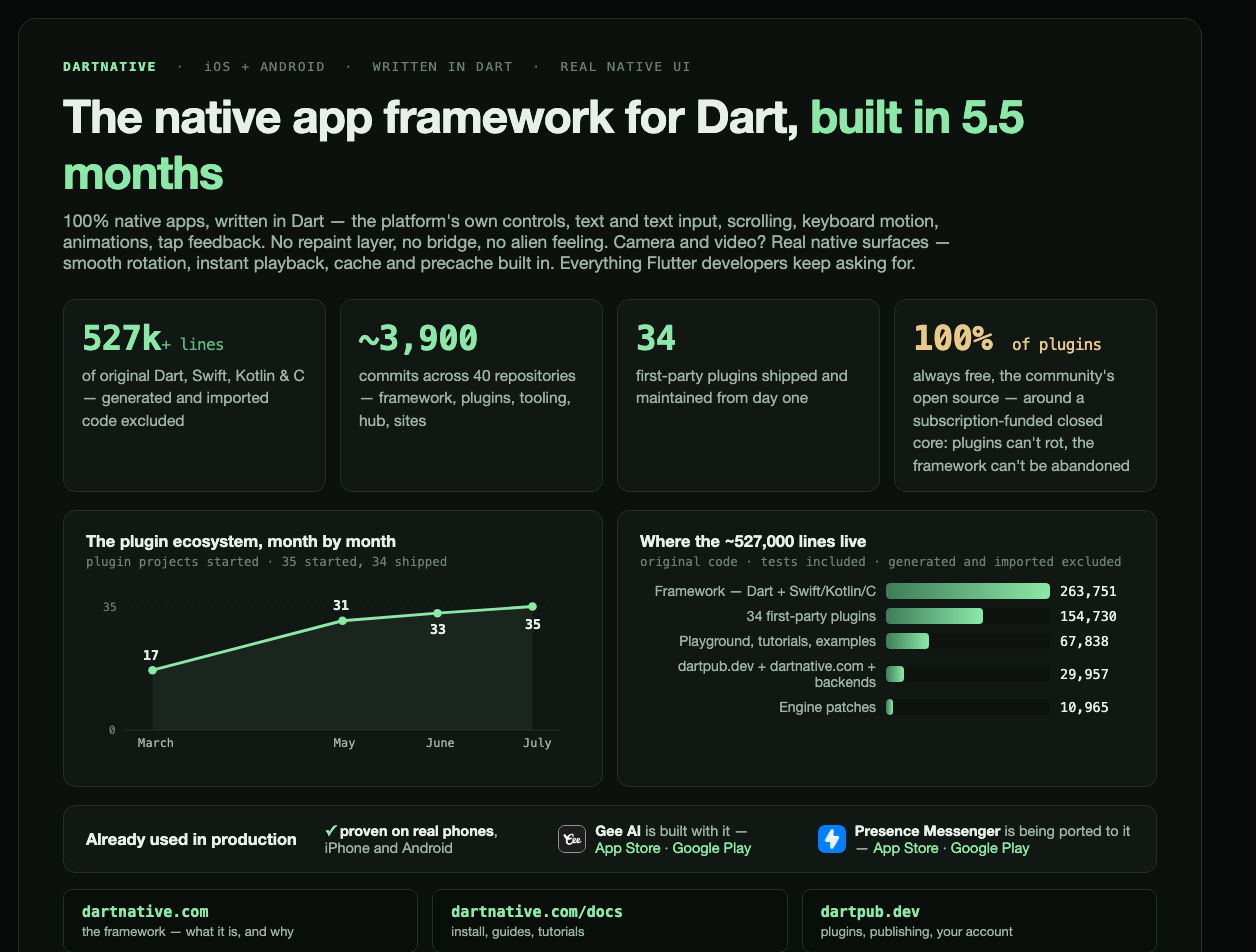
What’s in it
- Real native rendering — your widgets become UIKit and Android views, not
drawings on a canvas
- The Flutter widget API — almost. Same widgets, same layout, same hot
reload. Parameters that mean nothing to a native view are dropped, a few are
named differently, and some widgets gain options the platform offers and
Flutter has no equivalent for. Where we diverge you get a compile error, not a
silent change in behaviour — see
porting a Flutter screen
- iOS 26 Liquid Glass and Material 3 — the platform’s own components, not
re-implementations. A good portion of both is supported already, and
we’re still working through the rest
- First-party plugins on dartpub.dev — camera, video,
audio, webview, maps, notifications, purchases, storage, on-device AI
- Native
CustomPaint, with optional Skia Graphite for shader-heavy work
- One log stream for Dart and native, saved on device so a tester’s crash is
still readable tomorrow
While we’re in preview
Updates ship continuously — sometimes several times a week — so we won’t list
every small fix. Meaningful releases land here as they happen: what landed,
what broke, what got faster. Every entry on this page is also published as a
release on GitHub.
Found something wrong?
Report an issue or write to
[email protected] — bug reports from preview
users are worth more to us right now than almost anything else.
